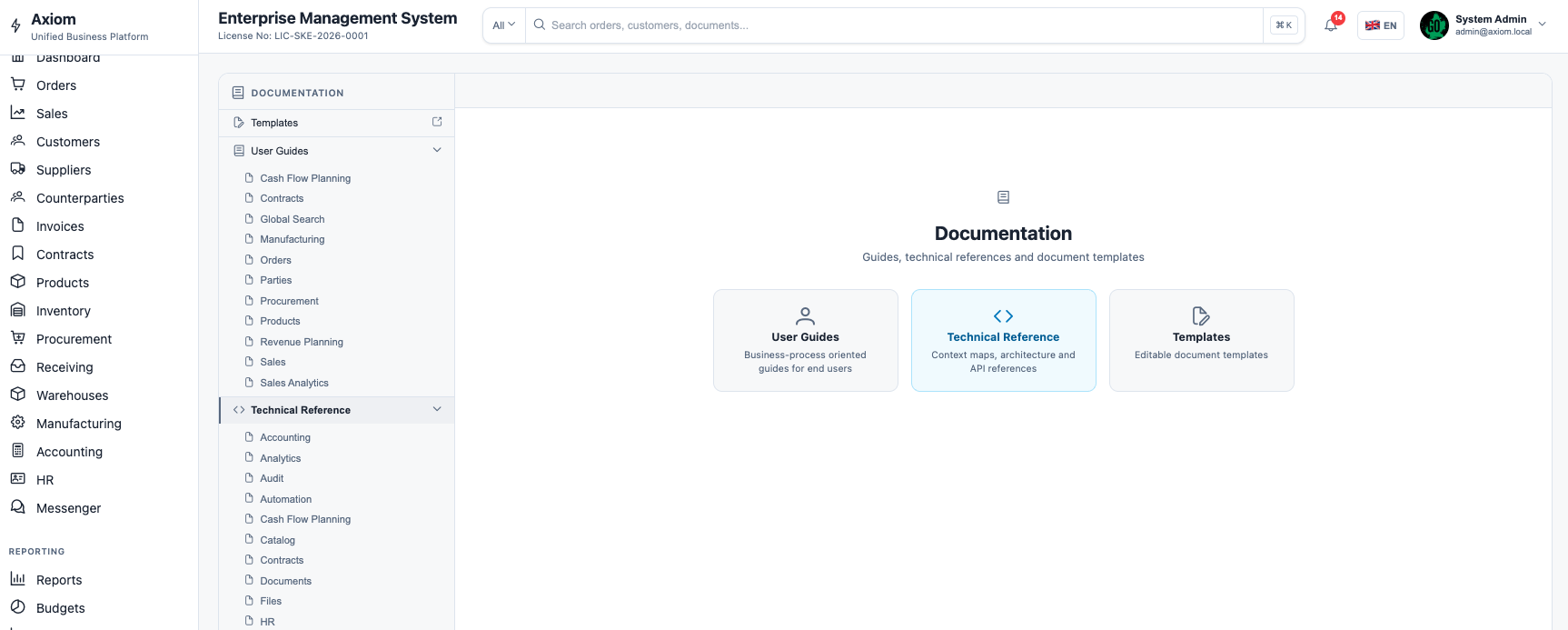
System β€” Documentation Hub

Internal knowledge base & docs

A built-in documentation hub for internal procedures, operational guides, and system knowledge. Versioned articles, full-text search, context links to business records, and role-gated access.

Versioned articles Full-text search Context links Role-gated access Structured hierarchy

Structured knowledge hierarchy

Documentation is organized in a multi-level hierarchy: spaces β†’ sections β†’ articles. Each level can have its own access policy.

1

Spaces

Top-level containers: Operations, Finance, HR, IT, Product. Each space has its own visibility and editor roles.

2

Sections

Group related articles within a space. Sections can be nested. Navigation tree is auto-generated.

3

Articles

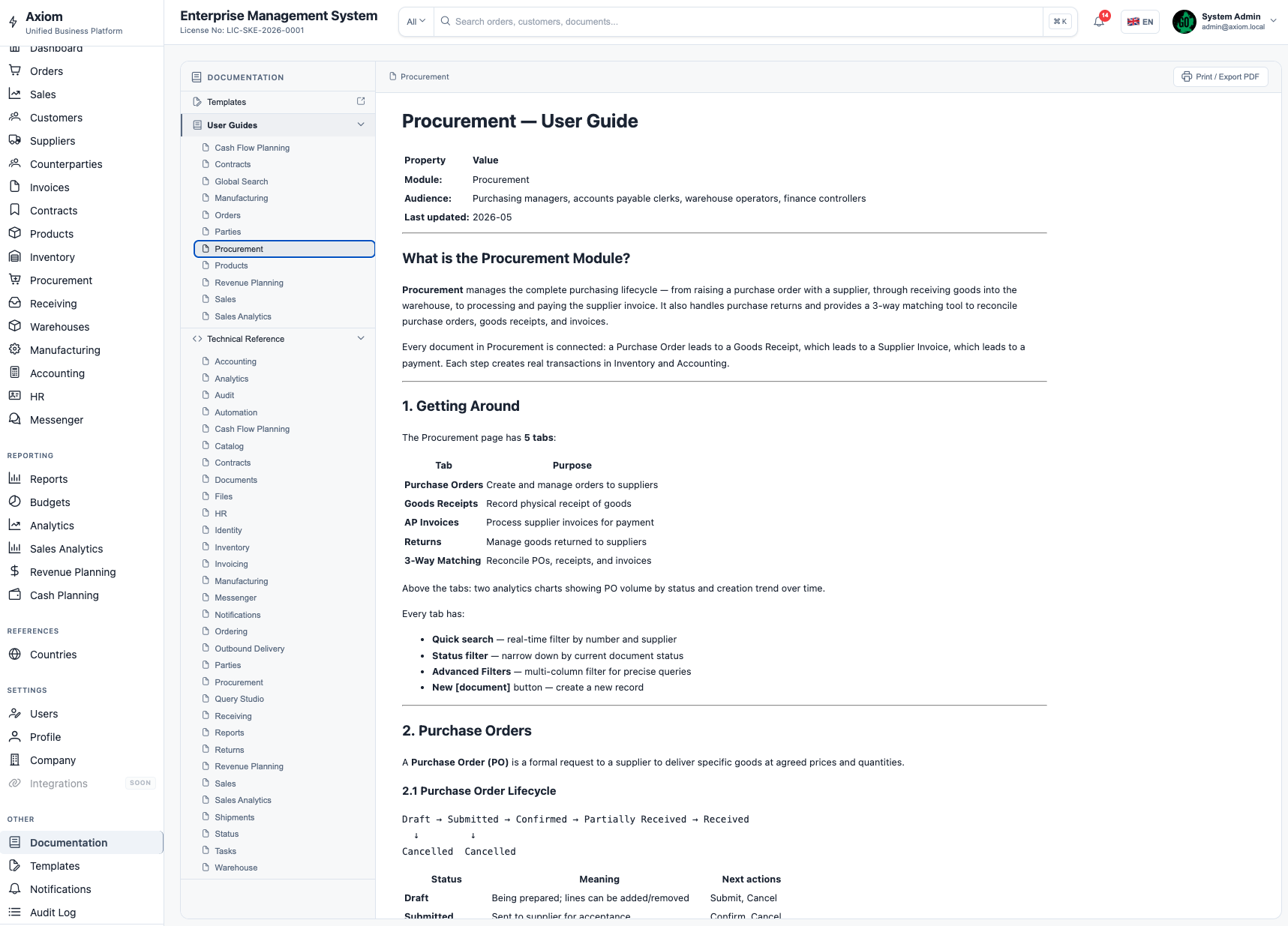
Rich Markdown content with embedded images, code blocks, tables, and links to system records or other articles.

4

Context links

Articles can be linked directly to a module page, contract, order, or any business entity β€” surfaced inline where users work.

Documentation Browser
Article View

Article authoring

Every article is written in Markdown with a live preview editor. Rich formatting, embedded media and cross-links keep the knowledge base easy to maintain.

  • Markdown with live preview β€” headings, tables, code blocks
  • Embed images, files and video links inline
  • Cross-links to other articles and system records
  • Draft / Published states β€” publish only when ready
  • Tags and metadata for improved discoverability
  • Comments and suggestions for collaborative editing

Search, versioning & access control

Enterprise-grade documentation tooling built into the platform β€” no external wiki needed.

Full-text search

Instant search across all article content, titles, and tags. Results ranked by relevance. Search respects access permissions β€” users only see articles they can read.

  • Full-text indexing of all content
  • Relevance-ranked results
  • Permission-filtered results

Article versioning

Every edit creates a new article version. Authors can view the full change history, compare versions with a diff view, and restore any previous version.

  • Automatic version on every save
  • Diff view between any two versions
  • Restore to any previous version

Role-based access

Access to spaces and sections is controlled by the RBAC system. Separate read, write, and admin permissions per space. Sensitive procedures can be restricted to specific roles or departments.

  • Per-space read/write/admin roles
  • Department-scoped visibility
  • Guest reader access supported

Context linking

Link articles to system resources β€” a procedure for processing an order can appear directly on the order page. Users get relevant docs exactly where they need them.

  • Articles linked to module pages
  • Inline help panels in UI
  • Deep links to specific articles